When the Management Port Goes Silent: Living with the FPR2110-ASA-K9
The management port stopped responding on a Tuesday morning. Not the data plane. Not the firewall itself. Just the management interface that I needed to access the Firepower chassis manager. I was standing in the data center aisle with my laptop connected directly to the MGMT port, watching the link light blink but getting no response from the web interface. The traffic kept flowing. Users never noticed. But I could not change a single policy or check the logs. This is the paradox of the
FPR2110-ASA-K9. The security functions work flawlessly while the management layer decides to take a break. That morning taught me more about this platform than any training course ever could.
This firewall sits in that awkward middle ground between small branch offices and enterprise data centers. Cisco positions it as an entry-level Firepower appliance, but do not let the entry-level label fool you. We deployed these at regional office locations where we needed more than basic ASA functionality but did not want the complexity of the full Firepower management stack. The 2110 runs ASA software directly on the Firepower hardware, which gives you the familiar CLI that most network engineers grew up with while still providing the modern chassis architecture. It is a transition device. A bridge between the old world of ASA and the new world of Firepower Threat Defense. Whether that is a good thing depends on where you stand in your migration journey.
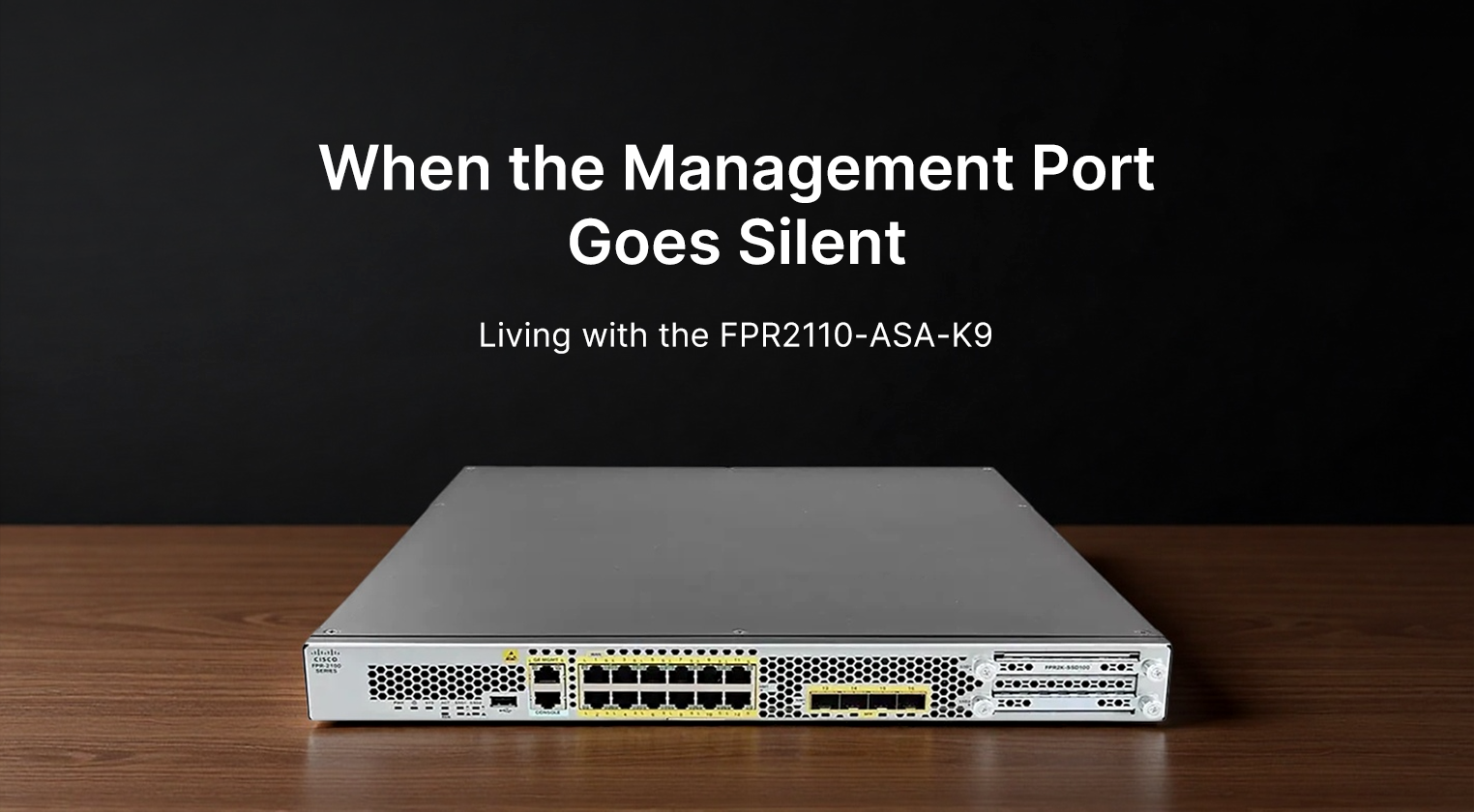
The physical unit fits into one rack unit, which is standard for this class of equipment. The front panel shows eight fixed Gigabit Ethernet ports that look identical until you dig into the documentation and realize some are dedicated to management while others handle data traffic. There is a small LCD screen that displays basic status information, but I have found it more frustrating than helpful. The text is hard to read from an angle, and the information it shows is limited enough that you will still need to access the CLI for anything useful. The build quality is typical Cisco. Solid metal chassis that feels like it could survive a drop, though you would never want to test that theory. The power supplies are redundant, which is essential for any production deployment. I have swapped one out during a scheduled maintenance window, and the process was smooth. The fan tray is accessible from the front, which matters when your rack is pushed against a wall and you cannot reach the back.
| Specification |
Detail |
| Model |
Cisco Firepower 2110 with ASA (FPR2110-ASA-K9) |
| Rack Units |
1 RU |
| Fixed Ports |
8 x 1GbE RJ-45 |
| Expansion Slots |
2 x SFP+ slots for 1/10Gb fiber |
| Firewall Throughput |
Up to 10 Gbps |
| Concurrent Connections |
Approximately 1 million |
| Operating System |
ASA software on FXOS chassis |
| Power Supply |
Dual redundant AC (hot-swappable) |
| Fan Module |
Single field-replaceable tray |
| Management Ports |
1Gb MGMT, RJ-45 Console, USB |
| Memory |
16 GB DRAM |
| Storage |
8 GB internal flash |
| Rack Depth |
Approximately 60 cm |
| Weight |
Around 12 kg |
| MTBF |
Approximately 100,000 hours |
Performance is adequate for the intended use cases. We pushed about 6 Gbps through this box during peak hours with all the standard ASA features enabled. NAT, access lists, VPN tunnels. Everything worked as expected. The CPU utilization hovered around 50 percent, which left enough headroom for traffic spikes. I have seen worse. I have also seen better. The connection table handled our user load without issues. We ran about 400,000 concurrent connections during business hours, well below the maximum rating. The VPN performance is where this box shows its limitations. If you plan to terminate a large number of AnyConnect tunnels, you will hit the ceiling faster than you expect. We capped out at around 500 concurrent VPN users before the latency became noticeable. For a regional office with 200 employees, this is fine. For a location with heavy remote work requirements, you might need to look at the 2120 or 2130 models.
The user experience is a mixed bag. Running ASA on Firepower hardware gives you the CLI you know and love. The commands are familiar. The configuration syntax is what you have used for years. This is the selling point. But the underlying FXOS chassis adds complexity that traditional ASA appliances did not have. You need to manage the chassis firmware separately from the ASA software. You need to understand how the two layers interact. When something goes wrong, you need to figure out which layer is causing the problem. Is it the ASA application or the FXOS chassis? The troubleshooting process requires checking both. I have spent evenings trying to diagnose an issue that turned out to be a chassis firmware incompatibility with the ASA version. The documentation exists, but it is scattered across multiple guides that assume you already understand the architecture.
The management interface is another source of frustration. The Firepower Chassis Manager web UI is functional but feels like an afterthought. It loads slowly. Some pages timeout during heavy traffic. The logging interface is basic compared to what you get with full Firepower Threat Defense. You do not get the advanced analytics or the threat intelligence dashboards. You get ASA logs presented in a web format. This is fine if you are used to ASA. It is disappointing if you were expecting the full Firepower experience. The smart licensing works, but the initial registration process requires internet connectivity that is not always available in segmented networks. We had to set up a licensing proxy, which added another component to manage. Once registered, the licenses work reliably. But that initial setup consumed more time than expected.
From a value perspective, the 2110-ASA occupies an interesting position. It costs more than a traditional ASA 5500 series appliance but offers the modern Firepower chassis architecture. It costs less than the full Firepower Threat Defense models but lacks the advanced security features. You are paying for the platform flexibility. The ability to migrate from ASA to FTD later without replacing hardware is the main selling point. Whether that is worth the premium depends on your migration timeline. If you plan to move to FTD within two years, this makes sense. If you are committed to ASA long-term, a traditional ASA appliance might be more cost-effective. The ongoing licensing costs are similar to other Cisco security products. You pay for the features you use. The support contracts are mandatory for production deployments, which adds to the total cost of ownership.
The advantages are straightforward. The familiar ASA CLI reduces the learning curve for existing teams. The Firepower chassis provides a migration path to FTD when you are ready. The hardware is reliable. We have had zero hardware failures across our deployment of six units over eighteen months. The redundant power supplies and fan tray mean single component failures do not cause downtime. The performance is sufficient for branch office and regional deployments. The form factor fits standard racks without requiring special considerations. The support from Cisco has been responsive when we have needed it. These are the reasons we chose this platform over competitors.
The disadvantages are equally important to understand. The management interface is not polished. The FXOS layer adds complexity without providing immediate benefits if you are running ASA. The performance ceiling is lower than the full Firepower models. The VPN capacity is limited compared to dedicated VPN concentrators. The LCD screen on the front panel is more decorative than functional. The initial setup requires more steps than traditional ASA appliances. The documentation assumes knowledge of both ASA and Firepower architectures, which creates a learning gap for teams familiar with only one. The smart licensing requirements can complicate deployments in isolated networks. These are not deal-breakers, but they are factors that need to be weighed during the selection process.
After eighteen months of operation, the FPR2110-ASA-K9 has proven itself as a stable platform. That Tuesday morning when the management port went silent. We rebooted the chassis manager, and everything came back online. The traffic never stopped. Users never complained. The incident was logged, reviewed, and added to our runbook for future troubleshooting. That is the reality of production networking. Things go wrong. The question is whether the system recovers gracefully. The 2110 does. It is not the most advanced firewall in the Cisco portfolio. It is not the cheapest option either. But it occupies a niche that makes sense for organizations in transition. If you are moving from ASA to Firepower, this box lets you migrate at your own pace. If you are committed to one platform or the other, there are better options. For us, it was the right choice. The management port has not gone silent since. And if it does, we know how to fix it. That knowledge is worth more than any specification sheet.