Troubleshooting the Silent Workhorse: A Deep Dive into the F5 BIG-IP LTM 3400
It usually starts with a helpdesk ticket or a frantic message from a data center technician: "The F5 is unresponsive," or "We have no power on unit 4." For many IT professionals, the F5
BIG-IP LTM 3400 is a device that lives in the background, silently managing traffic until it suddenly demands attention. This specific model, often identified by its RS designation, is a piece of legacy infrastructure that has seen decades of service. It is not the newest box on the rack, but for a long time, it was the standard-bearer for reliable, entry-to-mid-level load balancing. When these units fail, it is rarely a subtle affair; they are known to suffer from aging power supplies or failing internal fans, leading to sudden reboots or a complete loss of connectivity. Understanding the 3400 means understanding a device that was built for a different era of networking—one defined by copper cables, spinning hard drives, and the absolute necessity of keeping a web application online.
At its core, the 3400 is designed to be the traffic cop for your server farm. You place it between your users and your backend applications, and its job is to ensure that no single server gets overwhelmed while others sit idle. It acts as a reverse proxy, hiding the complexity of your internal network from the outside world. When a user requests a webpage, the 3400 intercepts that request and decides, based on a set of rules, which server is best suited to handle it. It is not just about balancing the load; it is about health monitoring. If a server goes down, the 3400 detects the failure and stops sending traffic to it, ensuring the user never sees an error message. This makes it a critical component for any business where downtime equals lost revenue.
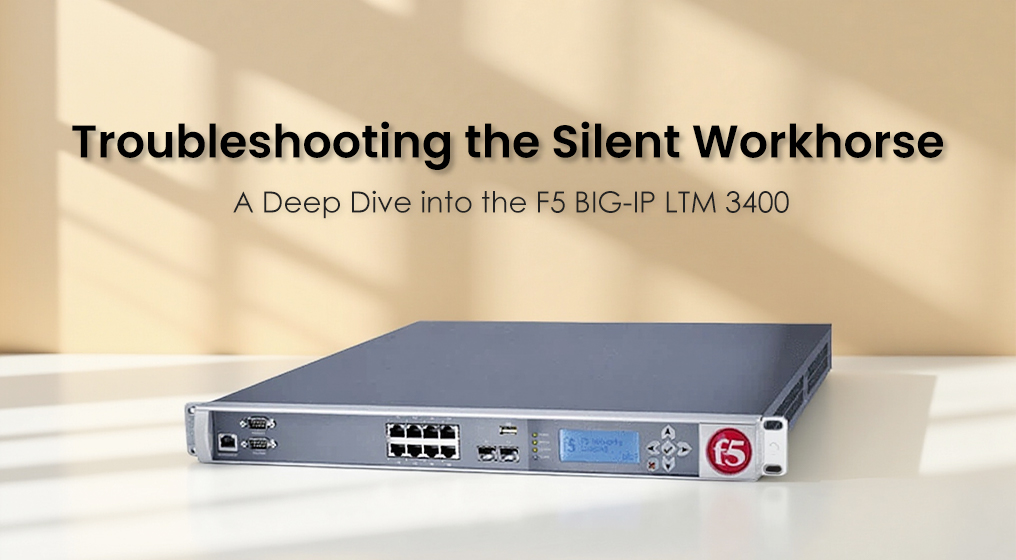
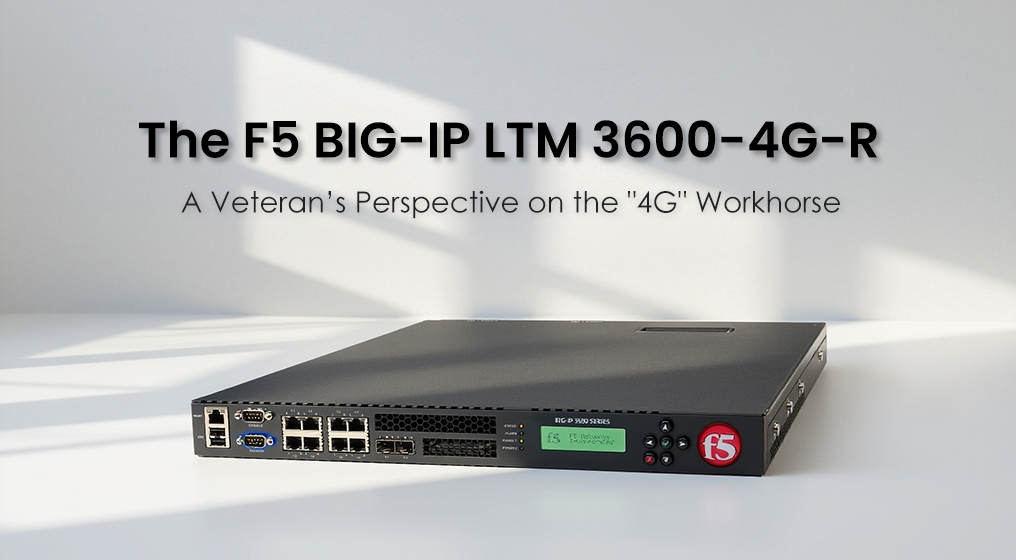
Physically, the 3400 is a study in utilitarian design. It is a rack-mountable unit, typically occupying a single rack unit (1U) of space, which makes it easy to stack in a standard 19-inch cabinet. The front bezel is often unassuming, featuring a status LCD screen that provides real-time diagnostics—if you know how to read the codes. The rear of the unit is where the connectivity lives. It typically sports a mix of Gigabit Ethernet copper ports (often 8 ports) and slots for SFP fiber modules. This hybrid approach allows network engineers to connect to standard copper switches while maintaining high-speed fiber uplinks to the core network. However, the chassis is also where the common maintenance issues arise; the ventilation grills can become clogged with dust over the years, leading to overheating, a frequent cause of the "unexpected reboot" issues reported by admins.
Under the hood, the specifications of the 3400 reflect its vintage. It is not a powerhouse by modern standards, but it was engineered to handle specific throughput limits efficiently. The system typically runs on a single CPU architecture and comes equipped with 1GB of RAM. While 1GB might sound paltry compared to modern servers, for the specific task of managing Layer 4 and Layer 7 traffic rules, it was sufficient for thousands of concurrent connections in its prime. The storage is handled by internal flash memory or a small hard drive, which stores the operating system and configuration files.
Here is a snapshot of the core parameters that define the 3400's capabilities:
| Feature |
Specification |
| Device Type |
Load Balancer / Traffic Manager |
| Processor |
Single CPU |
| System Memory |
1 GB RAM |
| Network Ports |
8 x Gigabit Ethernet (Copper) |
| Uplink Options |
2 x Gigabit SFP (Fiber) slots |
| Acceleration |
Packet Velocity ASIC (Application Specific Integrated Circuit) |
| Form Factor |
1U Rack Mount |
The user experience with the 3400 is defined by the software it runs: the BIG-IP Operating System. This is where the device truly shines. The software provides a graphical interface (GUI) that visualizes traffic flows, making it easier for admins to spot bottlenecks. The "iRules" feature is a standout capability, allowing administrators to write scripts that manipulate traffic on the fly. For example, you can tell the 3400 to route all mobile traffic to a specific pool of lightweight servers, or to block requests from specific geographic regions. However, the user experience is also marred by the hardware's age. Upgrading the software can be a nightmare; newer versions of the BIG-IP OS are often too heavy for the 1GB of RAM, forcing admins to stick to older, less secure versions or face sluggish performance.
In terms of compatibility and ecosystem integration, the 3400 is a veteran. It supports standard protocols like VLANs, Link Aggregation (LACP), and various routing protocols, allowing it to slot into almost any network topology. It plays well with Cisco, Juniper, and HP networking gear. However, its lifecycle status is a major consideration. This hardware is effectively End of Life (EOL). F5 has long since moved on to the VIPRION and iSeries platforms. This means that while the device is compatible with many networks, it is no longer receiving the latest feature updates or hardware support from the manufacturer.
When looking at the value proposition, the 3400 is strictly a budget play. You will not find this in a catalog of new equipment. Its value is found in the secondary market, where it is often sold for parts or as a low-cost solution for non-critical environments. For a small business or a homelab enthusiast who wants to learn how load balancing works without spending thousands of dollars, a used 3400 offers immense educational value. The cost-performance ratio is high only if you acquire it cheaply and do not require official support.
However, the pros and cons are stark. On the positive side, the 3400 is incredibly stable if left alone. Once configured, it can run for years without intervention. The "Packet Velocity" ASIC provides hardware-level acceleration that makes it surprisingly fast for its size. On the negative side, the hardware fragility is a concern. The power supplies are known failure points, and the lack of redundant components in some configurations makes it a single point of failure. Furthermore, the 1GB memory limit is a hard ceiling; you cannot upgrade it to handle modern, heavier software loads.
Ultimately, the F5
BIG-IP LTM 3400 is a relic of a robust engineering era. It is a device that demands respect and careful handling. If you are troubleshooting one, you are likely dealing with a hardware fault or a memory exhaustion issue. But if you can keep it running, it remains a capable guardian for your applications, proving that even older technology can hold the line in a modern network.