The "Black Box" Panic: Unraveling the Mysteries of the Cisco FPR1010-NGFW-K9
It usually starts on a Tuesday afternoon with a frantic ticket: "The internet is slow, and the new Cisco box is blinking red." For many IT teams deploying the Cisco
FPR1010-NGFW-K9 for the first time, the initial experience isn't one of seamless security integration but rather a confusing dance with a device that feels more like a black box than a transparent firewall. Unlike its larger siblings in the 2100 or 4100 series, the FPR1010 lacks the modular flexibility and the robust, dual-layer management interface that seasoned Cisco admins are used to. Instead, users often find themselves staring at a silent unit where the web interface refuses to load, or worse, they get locked out because the default management port behavior wasn't clearly understood during the unboxing. This specific model, while powerful for its size, has a reputation for tripping up newcomers who expect "plug-and-play" simplicity from an enterprise-grade appliance. The reality is that the FPR1010 demands a specific approach to setup and management; treat it like a home router, and it will fight you. Treat it like the specialized branch-office sentinel it is, and it becomes an invaluable asset.
The
FPR1010-NGFW-K9 is explicitly designed for small to medium-sized businesses, remote branch offices, and distributed retail locations that have outgrown basic Unified Threat Management (UTM) appliances but don't need the massive throughput of data center gear. Its primary job is to bring enterprise-class Next-Generation Firewall (NGFW) capabilities to the edge of the network. This means it’s not just blocking ports; it’s performing deep packet inspection, identifying applications regardless of the port they use, and scanning for malware in real-time. It serves as the local enforcer of security policies defined centrally, ensuring that a breach in a small branch office doesn’t become a gateway into the corporate headquarters. For organizations relying on the Cisco Secure Firewall Management Center (FMC) for centralized visibility, the FPR1010 acts as a remote sensor, feeding rich telemetry data back to the core while handling local traffic enforcement autonomously if the connection to the manager is lost.
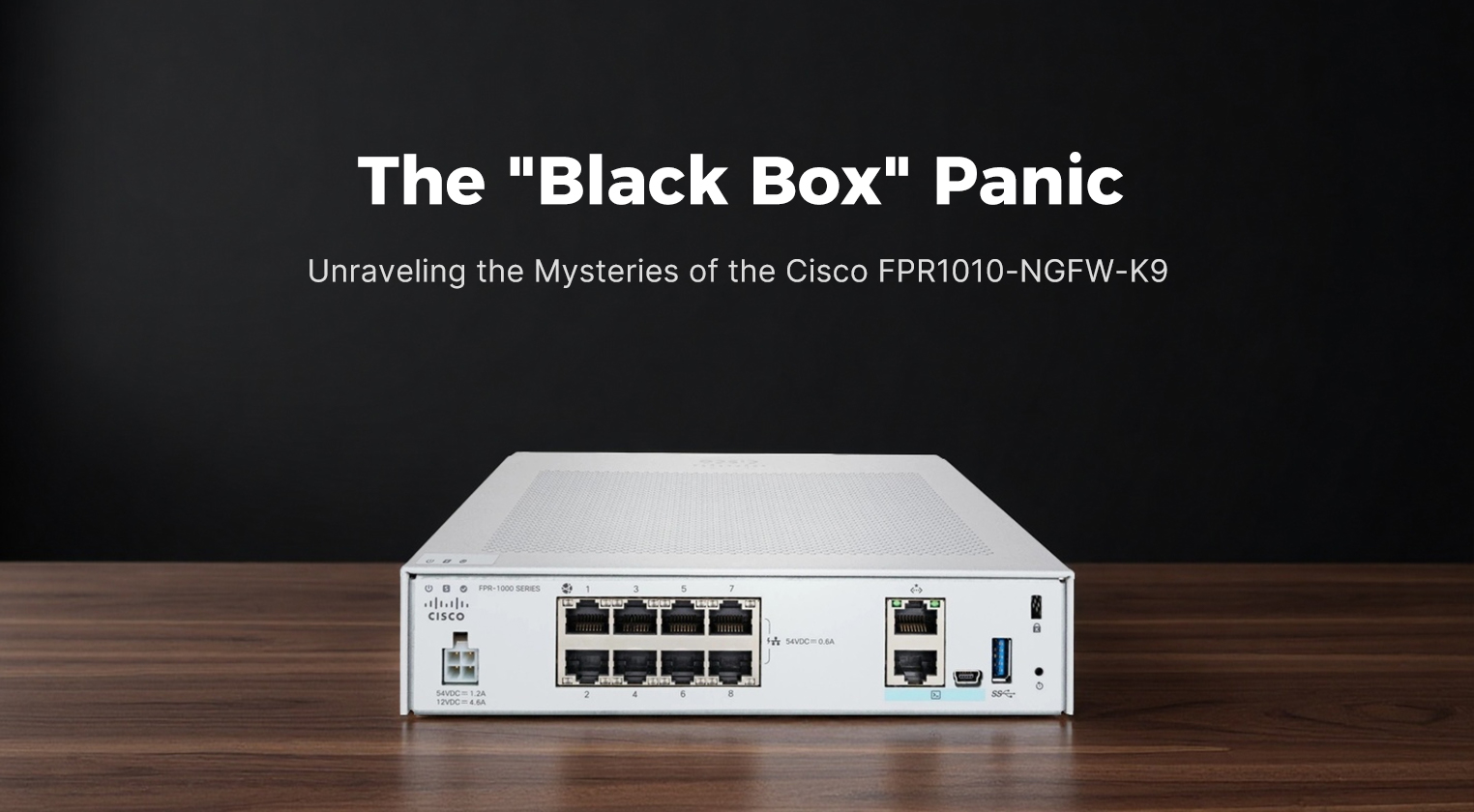
Physically, the FPR1010 is a departure from the industrial, rack-heavy aesthetic of the higher-end Firepower models. It is a compact, desktop-friendly unit, though it can be rack-mounted with an optional kit. The chassis is sleek, with a matte black finish that looks more like a high-end networking switch than a traditional server appliance. The front panel is minimalist, featuring a single power button and a row of intuitive LED indicators for power, status, and link activity. There are no bulky module bays or redundant power supply slots here; the design prioritizes space efficiency and silence, making it suitable for placement in a closet or even under a desk in a pinch. The rear panel houses a fixed set of interfaces: typically eight Gigabit Ethernet ports and two SFP slots for fiber uplinks, along with a dedicated management port and a console interface. The lack of moving parts like hot-swappable fans (it uses a quiet, internal cooling system) contributes to its near-silent operation, a feature that is deeply appreciated in smaller, non-data-center environments.
When it comes to performance, the FPR1010 punches above its weight class, provided expectations are managed correctly. It is built on a multi-core architecture that allows it to handle significant traffic loads for a branch office. However, the "NGFW throughput" number—the speed at which it can run with all security services enabled—is the metric that matters most. In real-world deployments, the device comfortably handles gigabit internet connections with Intrusion Prevention (IPS), URL filtering, and malware protection active. It excels at maintaining low latency for voice and video traffic, thanks to its optimized packet processing engine. While it won't replace a 40Gbps data center firewall, for a branch office with 50 to 100 users, it provides more than enough headroom to ensure security doesn't become a bottleneck.
Here are the core specifications that define the FPR1010's capabilities:
| Parameter |
Specification Details |
| Model |
Cisco Firepower 1010 (FPR1010-NGFW-K9) |
| Form Factor |
Desktop / Optional Rack Mount |
| Max Firewall Throughput |
Up to 1.5 Gbps |
| NGFW Throughput |
Approx. 300–400 Mbps (with full security services) |
| IPS Throughput |
Approx. 350 Mbps |
| Max Concurrent Connections |
Up to 500,000 |
| New Connections Per Second |
Up to 3,500 |
| Interfaces |
8x 1G RJ-45, 2x 1G SFP |
| Management |
1x Dedicated Mgmt Port, 1x Console (Micro-USB) |
| Storage |
Internal Flash (8GB) for OS, no user-replaceable SSD |
| Memory |
8GB DDR4 RAM |
| Processor |
Multi-core Intel Atom / Celeron architecture |
| Power |
Single External Power Adapter |
| OS Support |
Firepower Threat Defense (FTD) only (ASA mode not supported) |
The functional features of the FPR1010 are tightly integrated into the modern Cisco security ecosystem. It runs exclusively on Firepower Threat Defense (FTD) software, which unifies the best features of the legacy ASA and Sourcefire IPS into a single operating system. This allows for granular control over applications, users, and content. One of its strongest features is the ability to be managed entirely by the Cisco Secure Firewall Management Center, providing a single pane of glass for policy deployment across hundreds of branches. It supports SSL decryption, crucial for inspecting encrypted traffic, though this does impact performance and should be tuned carefully. Additionally, the device supports High Availability (HA) in an active/standby configuration, allowing two FPR1010 units to pair up for redundancy—a critical feature for branches that cannot afford downtime. The integration with Cisco Talos intelligence ensures that the device receives automatic updates on emerging threats, keeping the branch protected against zero-day attacks without manual intervention.
User experience with the FPR1010 is a mixed bag that heavily depends on the administrator's background. For those accustomed to the Command Line Interface (CLI) of old ASA firewalls, the FPR1010 can feel restrictive. You cannot simply SSH in and type commands to configure interfaces; almost everything must be done through the GUI (Firepower Device Manager for standalone or FMC for centralized). This shift frustrates purists but delights those who prefer visual policy mapping. The initial setup is where most "panic moments" occur. Users often plug their laptop into a data port expecting to reach the management interface, only to find nothing. The dedicated management port must be used for initial configuration, and the default IP addressing scheme requires a specific static IP setup on the admin's laptop. Once past this hurdle, the Firepower Device Manager (FDM) offers a surprisingly intuitive wizard-driven setup that gets the box running in minutes. However, troubleshooting can be opaque; without direct CLI access to the underlying OS, diagnosing deep system issues often requires tethering to a support session or relying on limited local logs.
In terms of value and cost-effectiveness, the FPR1010 is a compelling proposition for distributed enterprises. It eliminates the need for expensive, over-specced hardware in small locations while still providing the same security intelligence as the headquarters' firewall. The total cost of ownership is low due to its energy efficiency, small footprint, and lack of complex maintenance requirements. Compared to buying a lower-end enterprise router and adding a separate security appliance, the FPR1010 consolidates functions, saving both rack space and licensing overhead. It represents a "right-sized" solution that avoids the waste of paying for throughput you’ll never use while ensuring you aren't under-protected.
However, the device is not without its flaws. The most significant drawback is the lack of ASA software support; if your organization relies on legacy ASA-specific features or configurations, migration to the FPR1010 requires a complete re-architecture of your policy logic. The storage is limited to internal flash, meaning you cannot store extensive local logs; everything must be shipped to an external syslog server or FMC, which creates a dependency on network connectivity for forensics. The external power brick, while convenient for desktop placement, introduces a single point of failure that isn't as robust as the internal, redundant power supplies found in larger models. Furthermore, the performance ceiling is real; if a branch office grows or if you enable heavy SSL decryption on all traffic, the device can quickly become a bottleneck. The fan, while generally quiet, can spin up noticeably during firmware upgrades or high-load scenarios, which might be distracting in a very quiet office.
Despite these limitations, the
FPR1010-NGFW-K9 remains a strategic choice for modernizing branch security. Its strengths lie in its ease of centralized management, compact and silent design, and access to Cisco’s world-class threat intelligence. The weaknesses—primarily the rigid software environment and limited local logging—are manageable with proper planning and architectural design. For IT leaders looking to standardize security across a wide geographic footprint without breaking the budget, the FPR1010 offers a balanced blend of power and practicality. It may start with a moment of confusion during setup, but once configured, it settles into the role of a reliable, silent guardian, proving that good security doesn't always need to come in a large, noisy, modular chassis.