
Intellectual Property
Hot selling product recommendations
View More




















When it comes to managing your wireless network, Cisco offers two standout controllers that cater to completely different needs. Let's break down the C9800-L-F-K9 and C9800-40-K9 in a way that actually makes sense for your business.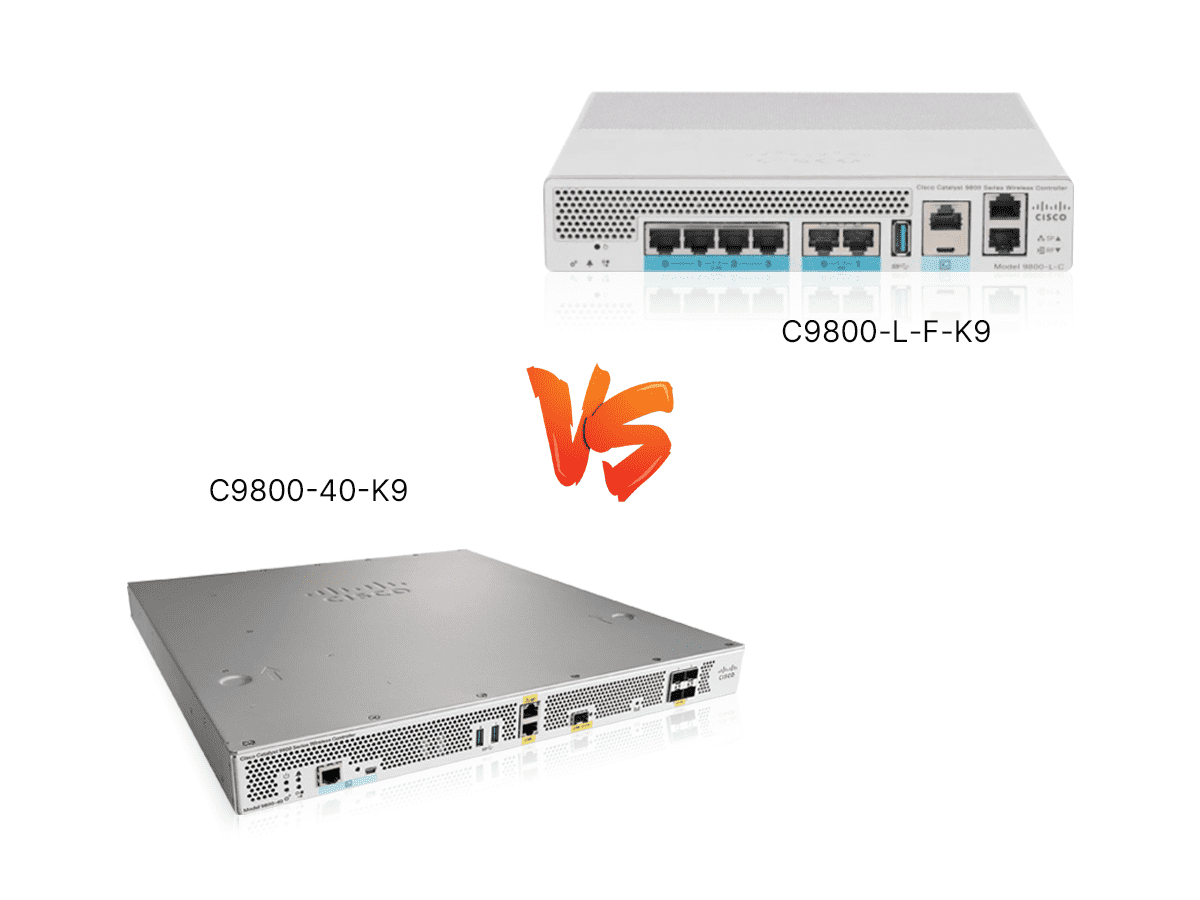
Think of the C9800-L-F-K9 as your reliable compact car - perfect for getting around town efficiently. It handles up to 500 access points and 5,000 users comfortably, making it ideal for medium-sized offices, school campuses, or hotel chains
The C9800-40-K9 is more like a heavy-duty truck built for massive hauling. This beast supports up to 2,000 access points and a staggering 32,000 concurrent users - perfect for large enterprises, universities, or stadiums where wireless demand is enormous
The numbers tell a clear story about where each controller shines. The L-F model keeps things running smoothly for your typical business environment. It's the workhorse that won't let you down when you have hundreds of devices connecting simultaneously
Meanwhile, the 40-K9 is built for environments where wireless connectivity is mission-critical. With support for thousands of access points, it ensures every user gets reliable bandwidth whether they're in a 50-story office building or a packed sports arena
The price difference reflects this capability gap. The L-F model comes in around 3,500, while the 40-K9 commands 8,000 - a premium price for enterprise-level performance
Your server room space might determine which controller works best for you. The C9800-L-F-K9 sports a compact, fixed design that slips neatly into smaller spaces without sacrificing performance. It's the minimalist's choice - powerful but unobtrusive
The C9800-40-K9 follows the traditional 1U rack-mountable format you'd expect in a data center. It's designed to fit seamlessly with other enterprise equipment, making it right at home in environments where rack space is plentiful and organization is key
Both controllers run on Cisco's robust IOS XE operating system, but they're optimized for different scales. The L-F model delivers all the essential management features you need for day-to-day operations without overwhelming your IT team
The 40-K9 takes things to the professional level with advanced traffic management, detailed analytics, and centralized control for massive deployments. It's the difference between managing a neighborhood and running an entire city's infrastructure
For network administrators in growing businesses, the L-F-K9 feels familiar and straightforward. The interface won't require a dedicated specialist to interpret, and day-to-day management stays refreshingly simple
The 40-K9 caters to enterprise IT professionals who need granular control over every aspect of their network. While the learning curve is steeper, the payoff comes in unparalleled visibility and control when managing thousands of access points
If your organization has up to 500 access points, the L-F-K9 delivers outstanding value. You're not paying for capacity you'll never use, and the performance perfectly matches typical business requirements
The 40-K9 justifies its higher price tag through sheer scalability. When you need to manage a large-scale network, the cost per access point actually becomes more economical than trying to multiple smaller controllers
Both controllers benefit from Cisco's reputation for reliability, but they're built for different levels of uptime requirements. The L-F model provides solid stability for business hours operation, while the 40-K9 is engineered for environments where network downtime simply isn't an option
Choose the C9800-L-F-K9 if:
You manage ≤500 access points
Your budget is in the 5,000 range
You need a compact solution that's easy to manage
Your business is growing but not yet enterprise-scale
Choose the C9800-40-K9 if:
You're managing 500-2,000 access points
Budget isn't your primary constraint (expect 8,000)
You need enterprise-grade features and scalability
Your environment demands maximum uptime and performance
Sometimes the best choice comes down to honest assessment of your actual needs rather than theoretical capabilities. Both controllers excel where they're meant to - the trick is matching the tool to the job at hand