
Intellectual Property
Hot selling product recommendations
View More




















Cisco's 48-Port Dilemma: Copper vs. Fiber – Which Module Reigns Supreme?
Alright, let’s get into the nitty-gritty of Cisco’s C6800-48P-TX-XL and C6800-48P-SFP-XL. These two modules are like the Batman and Robin of networking—each has its own gig, but you gotta know which one to call when the Bat-Signal lights up.
Let’s start with the raw numbers. Think of this as their DNA.
|
Feature |
C6800-48P-TX-XL (Copper) |
C6800-48P-SFP-XL (Fiber) |
|---|---|---|
|
Ports |
48 x RJ-45 (copper) |
48 x SFP/SFP+ slots (fiber) |
|
Speed per Port |
1Gbps (configurable up to 10G with uplinks) |
1Gbps/10Gbps (depends on SFP module) |
|
Transmission Distance |
Up to 100m (Cat6a) |
Up to 100km (with single-mode fiber) |
|
Power Consumption |
~30W (depends on load) |
~50W (higher due to SFP optics) |
|
Key Tech |
DFC4XL ASIC for forwarding, supports VLAN stacking |
DFC4XL ASIC, compatible with SFP transceivers |
Quick Take: The Copper module is all about simplicity and short-range power, while the Fiber version trades proximity for flexibility and speed.
Why You’d Love It:
Plug-and-play with standard Ethernet cables. No extra gear needed.
Perfect for dense environments like offices or labs where devices are inches apart.
Cheaper upfront—ideal for startups or tight budgets.
Where It Struggles:
100m limit means you’ll need repeaters for bigger setups.
Susceptible to electrical noise (think fluorescent lights or motors nearby).
Why You’d Love It:
Future-proof with 10G/25G/40G options via SFP+ modules.
Immune to EMI—great for hospitals, factories, or outdoor deployments.
Supports long-haul links between campuses or data centers.
Where It Struggles:
Fiber cables are pricier and trickier to handle (those tiny strands!).
Requires planning—choosing the right SFP module (e.g., SFP-10G-LR for long runs).
Copper Module: Looks like a beefy metal brick with 48 RJ-45 ports. Think “industrial-grade.”
Fiber Module: Sleeker design with empty SFP cages. Those tiny ports scream “serious business.”
Real Talk: Both fit into Cisco 6800 chassis like LEGO bricks. The fiber version feels fancier but bulkier.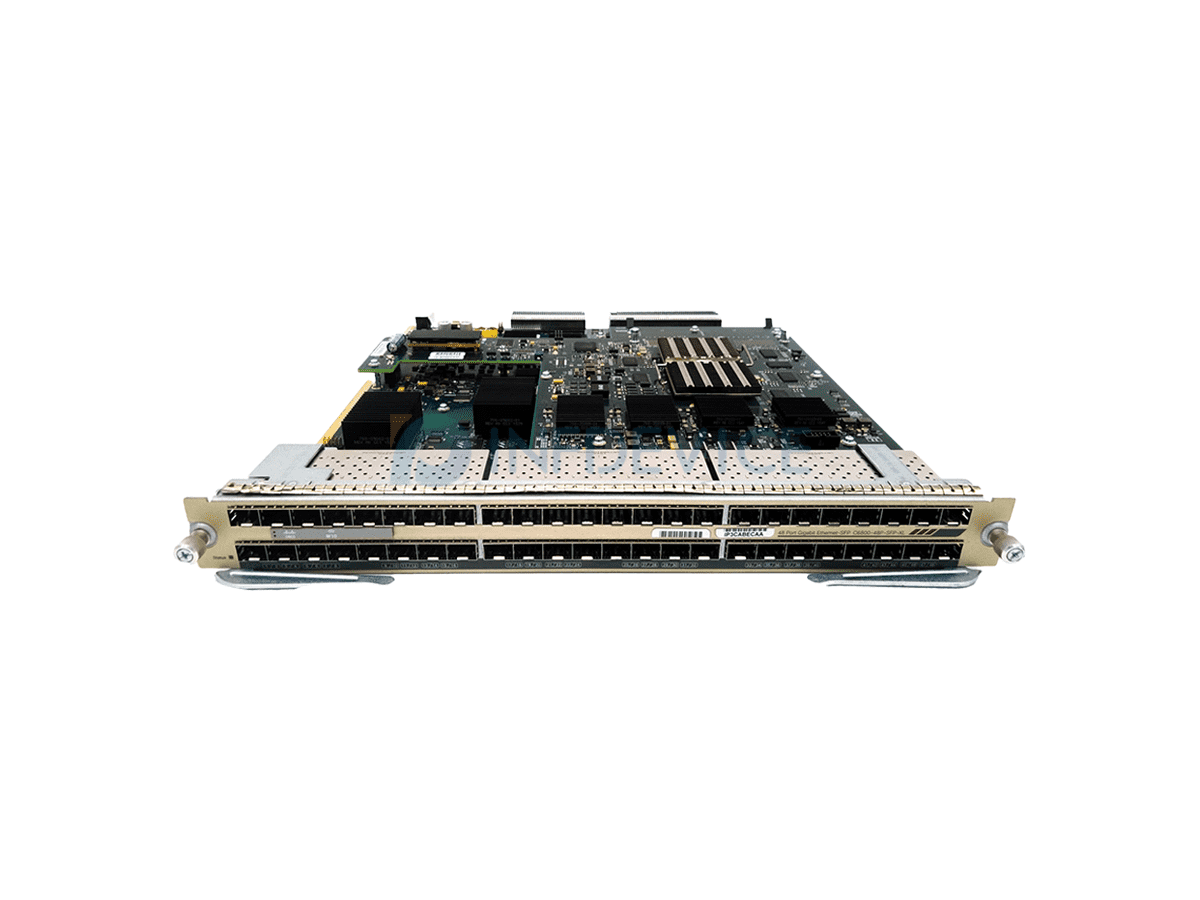 ,
,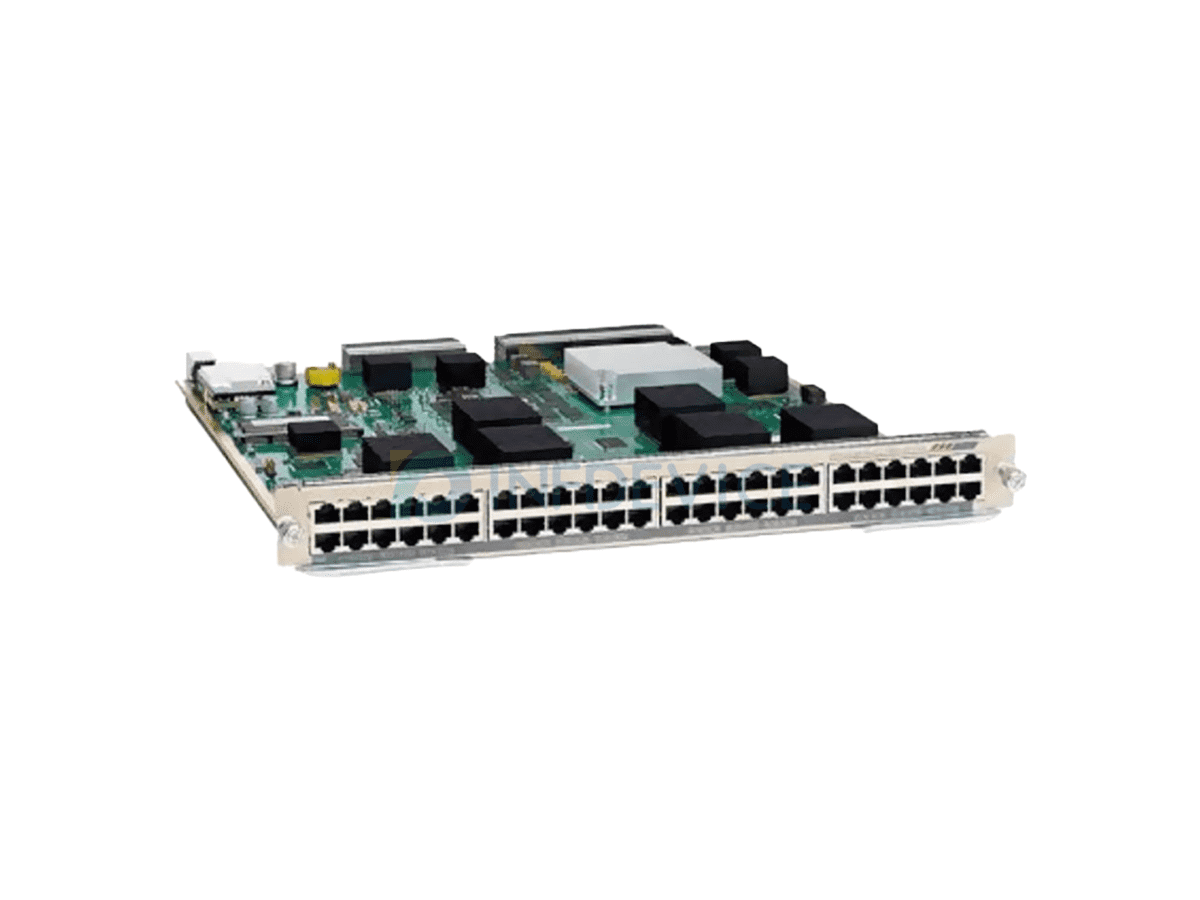
C6800-48P-SFP-XL C6800-48P-TX-XL
Copper: Rock-solid for short distances but can glitch if cables are poorly crimped or near interference sources.
Fiber: Near-military grade. Fiber doesn’t care about EMI, humidity, or voltage spikes. Great for mission-critical links.
|
Factor |
Copper |
Fiber |
|---|---|---|
|
Initial Cost |
1,800 (module + cables) |
3,500 (module + SFPs + fiber) |
|
Hidden Costs |
More cables, potential repeaters |
Higher SFP prices, specialized installers |
|
ROI |
Better for small-scale, static setups |
Pays off in scalability and uptime |
IT Teams in Small Offices: Copper’s plug-and-play wins. No headaches with fiber splicing.
Data Center Pros: Fiber’s speed and distance make it a no-brainer for backbone links.
Field Engineers: Fiber’s durability in harsh environments (factories, outdoor cabinets) saves troubleshooting time.
Copper: That “cheap” price tag can bite you if you outgrow it. Adding switches mid-project? Prepare for budget shocks.
Fiber: One bent fiber cable, and you’re offline. Handle with kid gloves!
Grab the Copper (TX-XL) if:
You’re setting up a single room or small campus.
Budget is tight, and future expansion is uncertain.
Go Fiber (SFP-XL) if:
You’re connecting distant buildings or future-proofing for 10G+.
You need bulletproof reliability in noisy environments.
Mix and match! Use copper for desktops and fiber for uplinks. Cisco’s 6800 chassis lets you slot both modules side-by-side. Genius, right?
There you have it—no jargon, no fluff. Choose wisely, and your network will thank you!